- Who can: a user with the “Manage Studio” permission
- Where: Studio › Superpowers
What it is
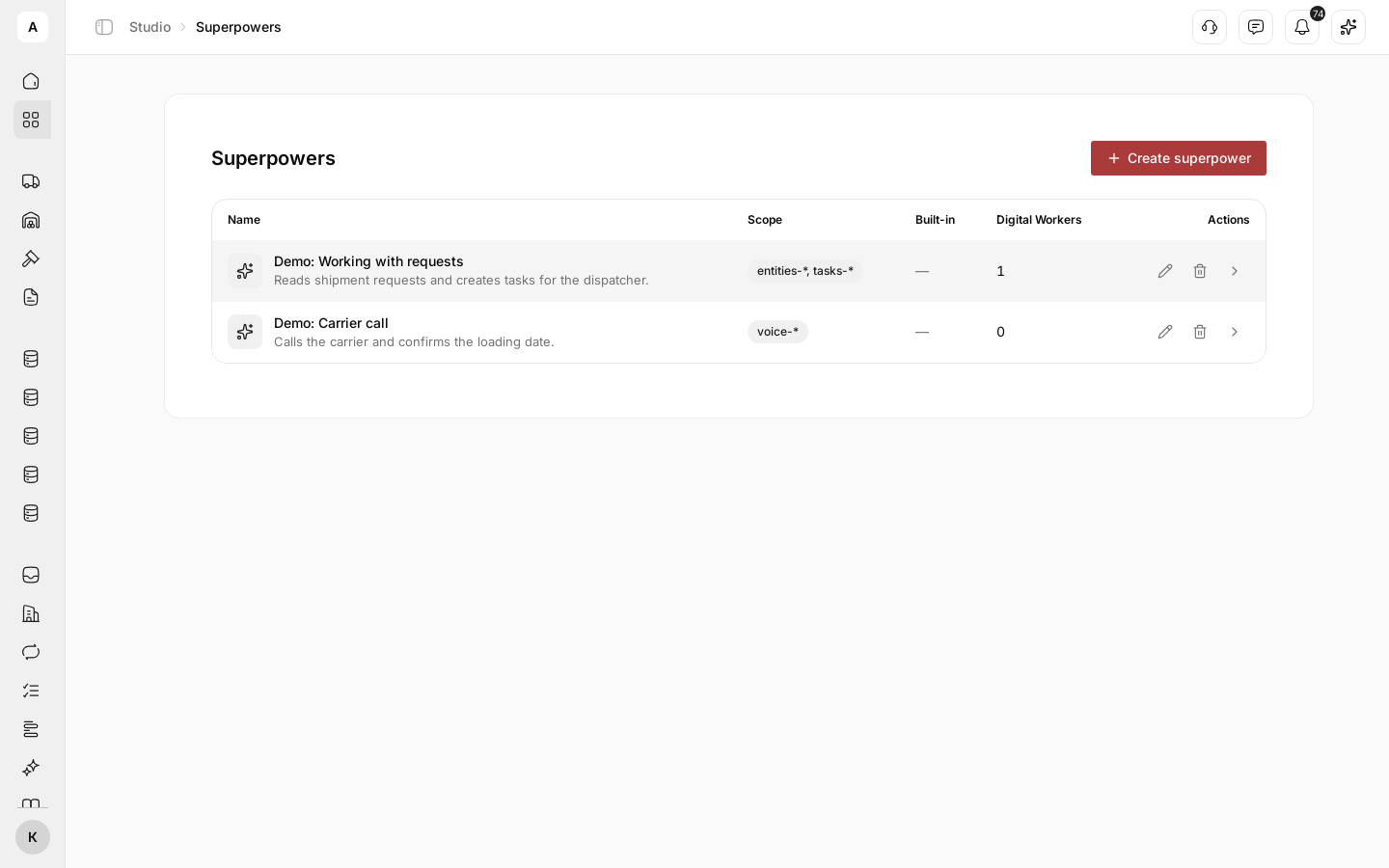
A superpower is a set of actions you allow a Digital Worker to take, together with instructions on how to use them. For example, the “Demo: Working with requests” superpower lets a worker read shipment request records and create tasks for the dispatcher, and its instructions say what exactly to check in a request.
You build a superpower once in the library and attach it to any number of Digital Workers. Change the superpower, and every worker it is attached to gets the change at once; a worker’s rollback does not undo it.
What it can do
- Scope. On the General tab you choose what the worker can access: all tools, a whole group (for example, all task actions) or single tools from the “Tools” list. What each group gives is in Tool groups.
- Context and instructions. On the Instructions tab, the “Context” field describes the data the worker works with, and “Instructions” sets the order of actions. The worker gets this text along with the superpower.
- Phone calls by scenario. When the scope includes calls, the Voice call tab appears: the call scenario, first message, language, duration, outbound number and the variables the worker passes before a call.
- One superpower, many workers. The Digital Workers tab shows who already uses the superpower; the counter next to the tab name shows how many.
- Built-in superpowers. Superpowers marked “Built-in” can be attached to workers but cannot be changed or deleted.
Limits
- The scope must include at least one tool the Digital Worker can actually use. Otherwise the superpower does not save.
- The Voice call tab appears only when the scope includes calls.
- To place calls, the account needs connected telephony with a number. See Connect telephony.
- Deleting a superpower also removes it from every Digital Worker it is attached to, and cannot be undone. Before you delete, check the Digital Workers tab.