- Who can: a user with the “Manage Studio” permission
- Where: Studio › Data models › the model › Attributes
- Time: ≈ 5 minutes
Before you start
You need two select fields in one model: the parent and the dependent one. In the example, the model “Demo: Customer” has “Country” — a “Single select” with “Ukraine” and “Poland” — and “City”, which should list Kyiv and Lviv for Ukraine, Warsaw and Kraków for Poland. Add the fields first — see Set up fields.
The parent must be a “Single select”. The dependent field can be a “Single select” or a “Multi select”.
Steps
Open the dependent field
On the Attributes tab, click the field “City”.
Choose the parent field
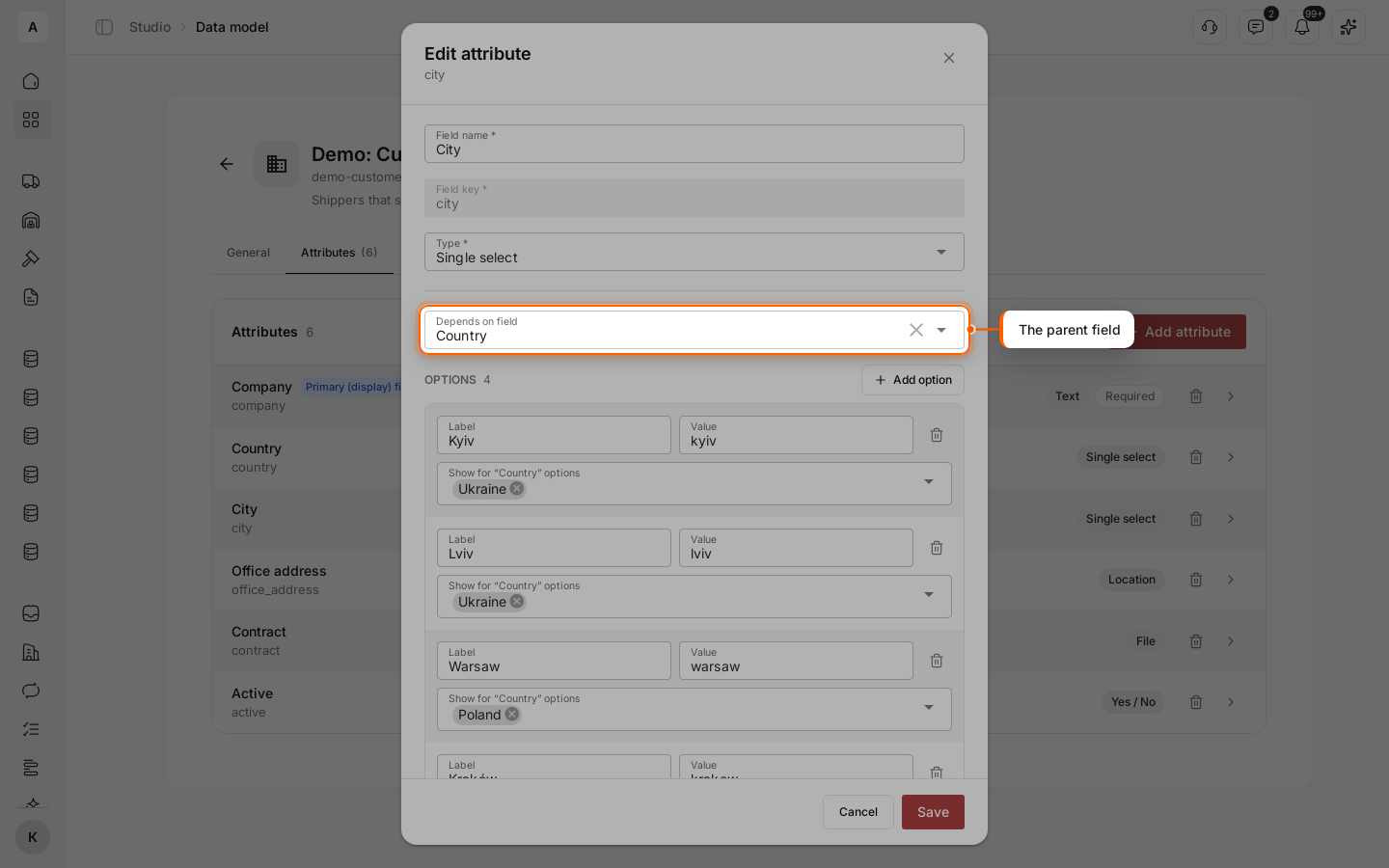
In “Depends on field”, pick “Country”. The list offers only the other single select fields of the model.
Tie each option to the parent values
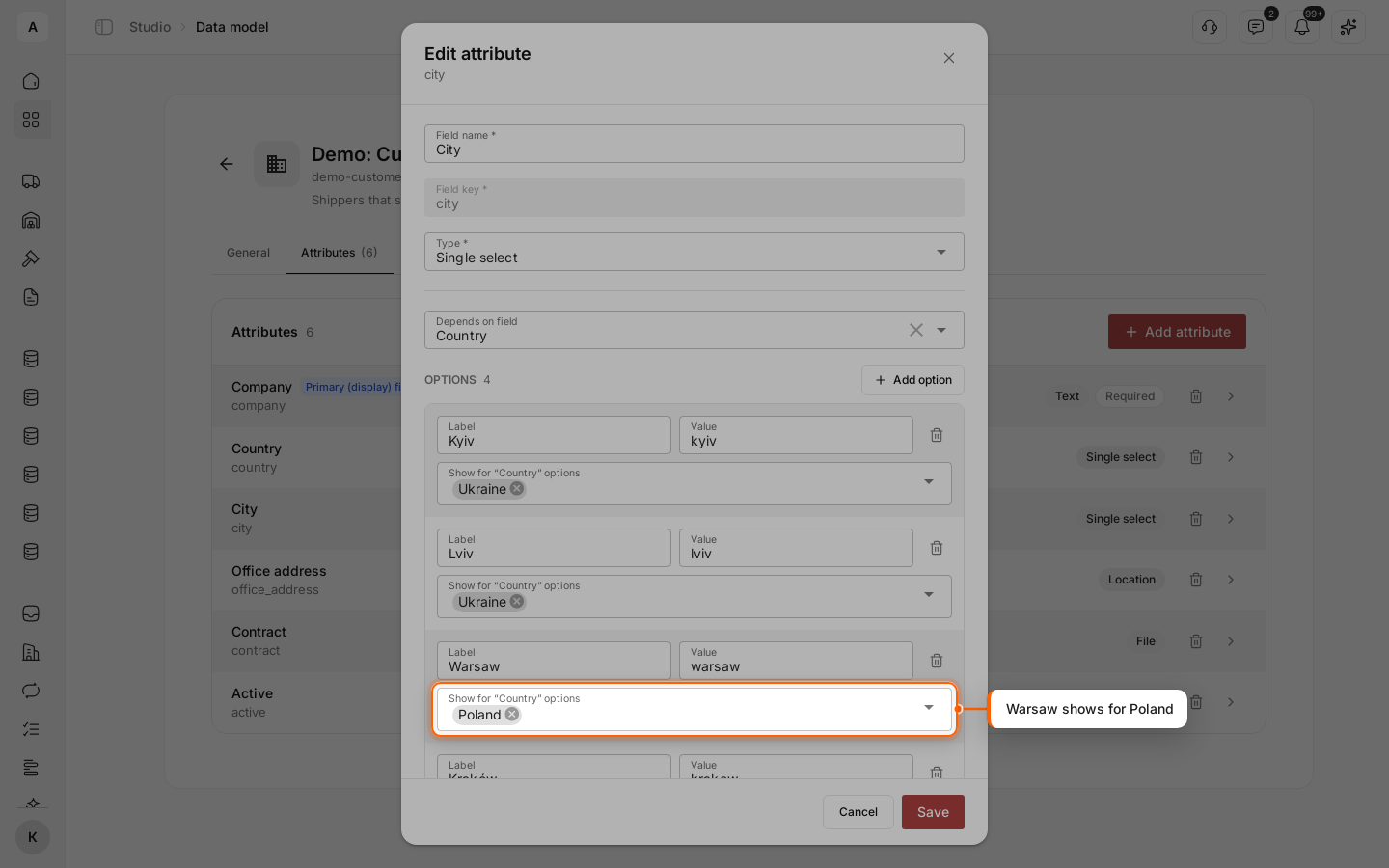
Under every option, a new field appears: “Show for “Country” options”. Pick the countries for which the option shows: “Kyiv” and “Lviv” — “Ukraine”, “Warsaw” and “Kraków” — “Poland”. An option with no country picked shows for every country. Click Save.
Check it in a record
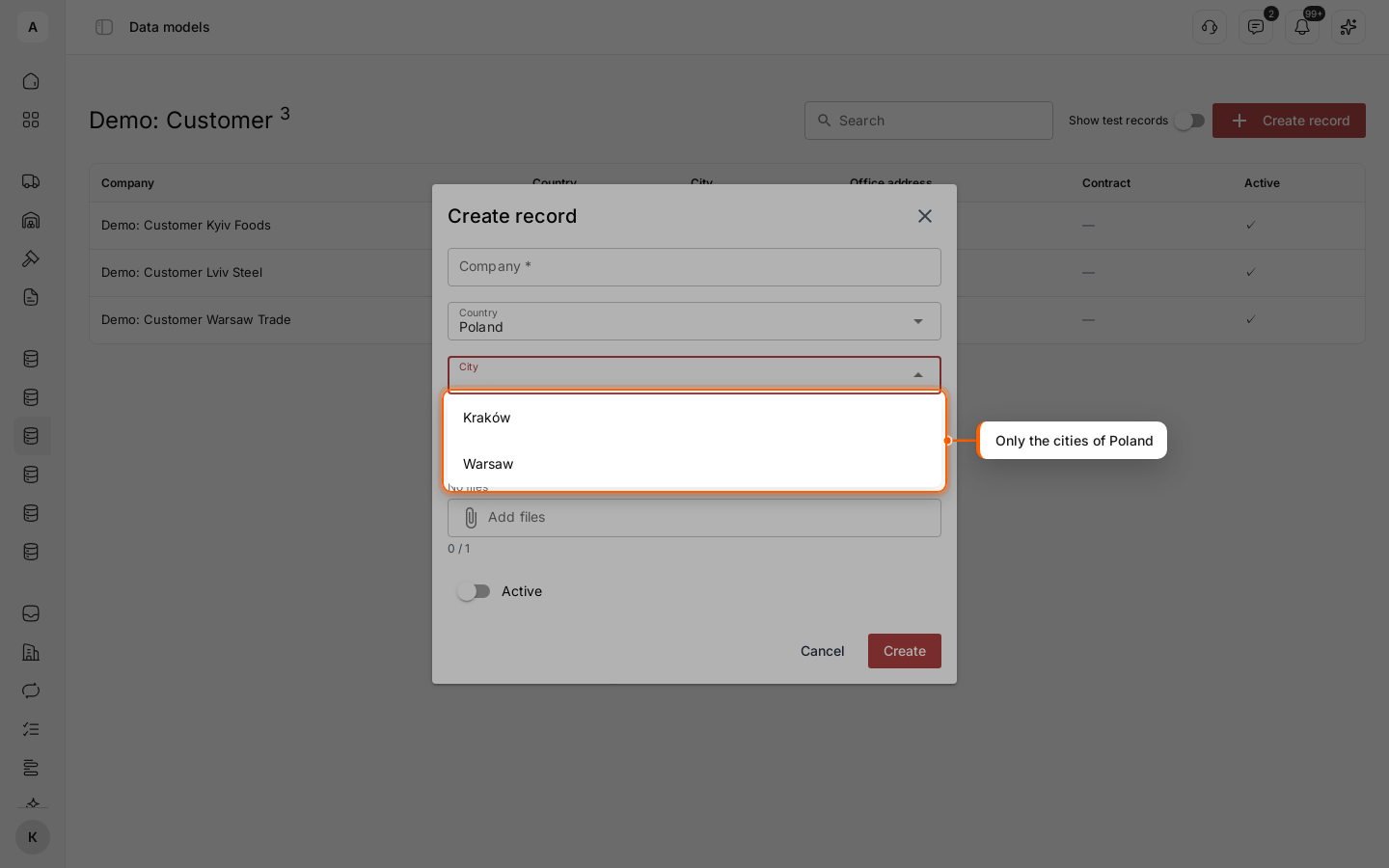
Open the records of the model and click Create record. “City” stays greyed out with the hint “Select “Country” first”. Pick “Poland”: “City” offers only Warsaw and Kraków.
What Cargofy checks
- A city that does not fit the country is not saved. This also applies to records written by workflows, Digital Workers and outside systems.
- When you change the country in a record, the form clears a city that no longer fits.
- Picking another parent field in “Depends on field” clears the ties of all options. Set them again before saving.
- A dependent field can itself be the parent of a third field, for example country → city → warehouse. A loop — a field that ends up depending on itself — is refused.