- Who can: any member of your company
- Where: a record of the model › History
- Time: ≈ 2 minutes
Before you start
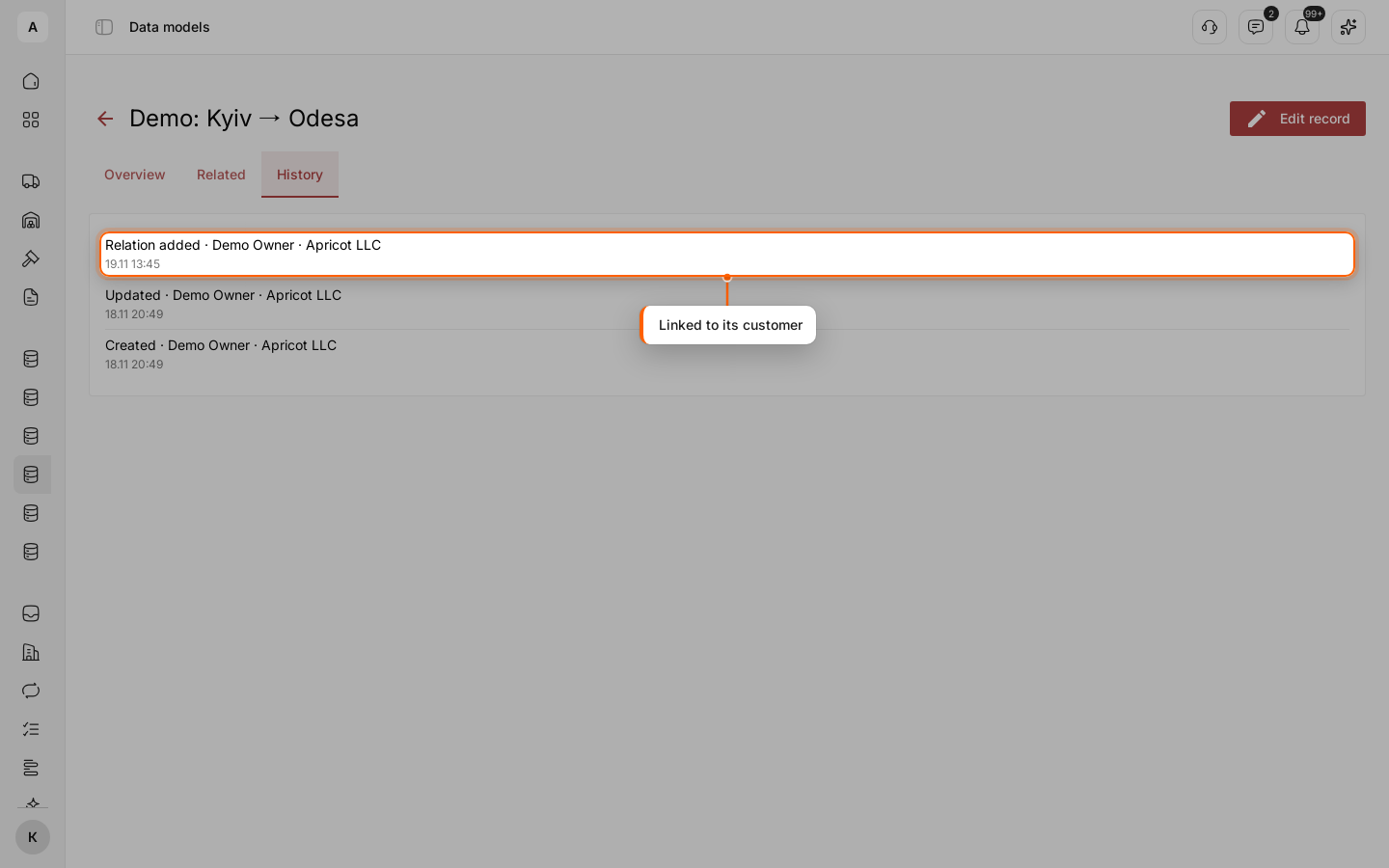
Every record keeps its own history from the moment it is created. In the example, the request “Demo: Kyiv → Odesa” was created by a person, then linked to its customer.
Steps
Open the record
Open the records of the model and click the row of the record.
Go to the history
Click the History tab. The newest entry is at the top. Each entry has three lines: what happened and who did it, the date and time, and the reason when the author gave one.
Read the entries
| Entry | When it appears |
|---|---|
| “Created” | The record was saved for the first time |
| “Updated” | At least one value changed. Saving without changes adds no entry |
| “Deleted” | The record was deleted |
| “Relation added” | A record was linked to this one. The entry shows on both records |
| “Relation removed” | A link was removed. The entry shows on both records |
See who made the change
After the action comes the author:
- a person — the name and the company;
- a Digital Worker — its name, with a link to the worker;
- a workflow — its name, with a link to the run that made the change;
- an outside system — the name of the API key it used;
- “System” — Cargofy itself.
A Digital Worker and an outside system can add a reason; it shows as “Reason: …”.