- Who can: a user with the “Manage Studio” permission
- Where: Studio › Integrations
What it is
An integration connects your account in an outside system: a load board, a mailbox, telephony, a messenger, an e-document service or a spreadsheet. You enter the credentials once. From then on, workflows and Digital Workers work with that system on behalf of your company: they read new email, post a load on a load board, call a carrier.
Integration events, such as a new email in the mailbox, can start a workflow, and its actions become workflow steps (the “Integration action” node).
What it can do
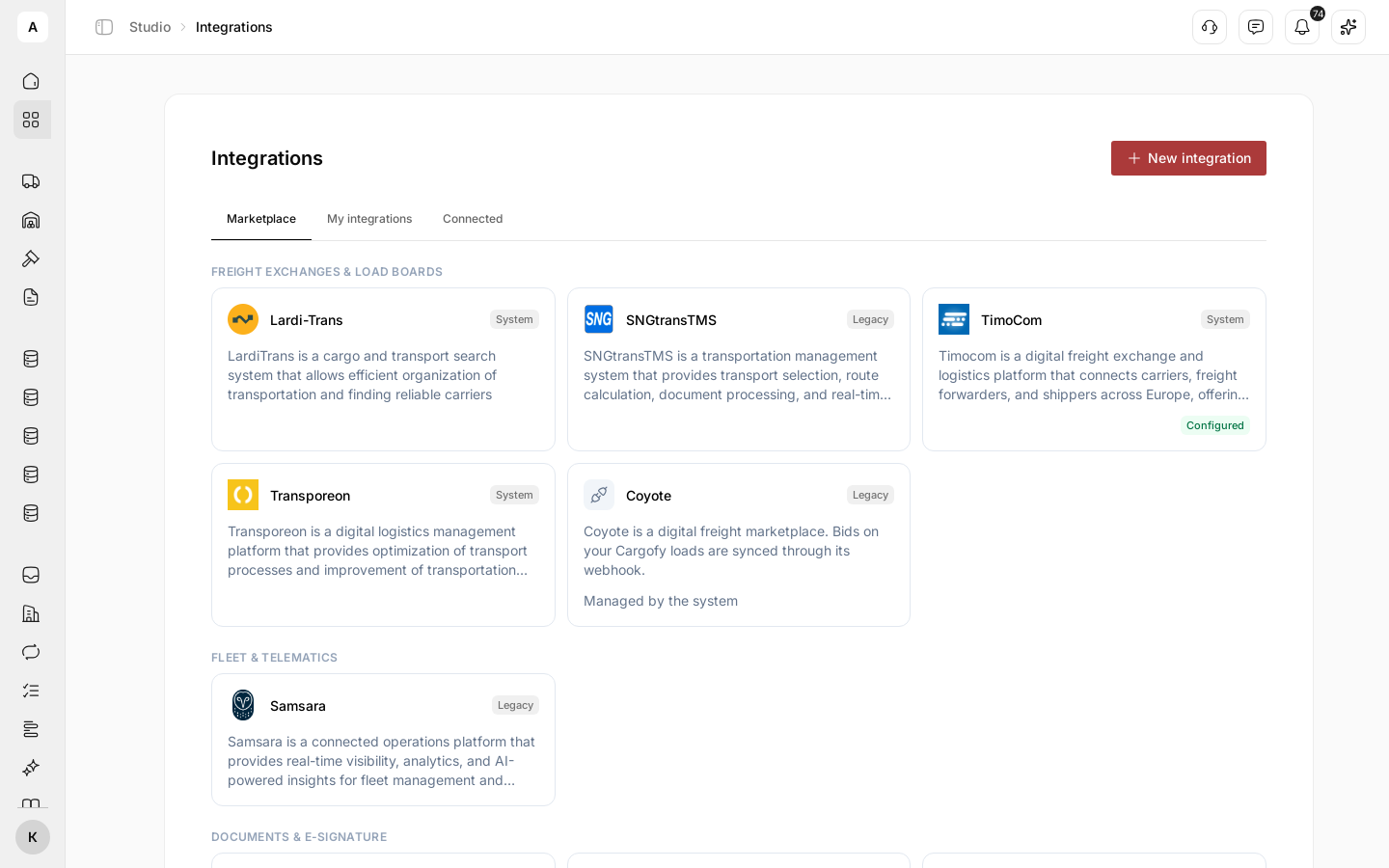
- A catalog of ready integrations. On the Marketplace tab, cards are grouped: “Freight exchanges & load boards”, “Fleet & telematics”, “Documents & e-signature”, “Voice & telephony”, “Email”, “Spreadsheets”, “Messaging”. A card marked “Configured” already has a connection. What each card does: Integration catalog.
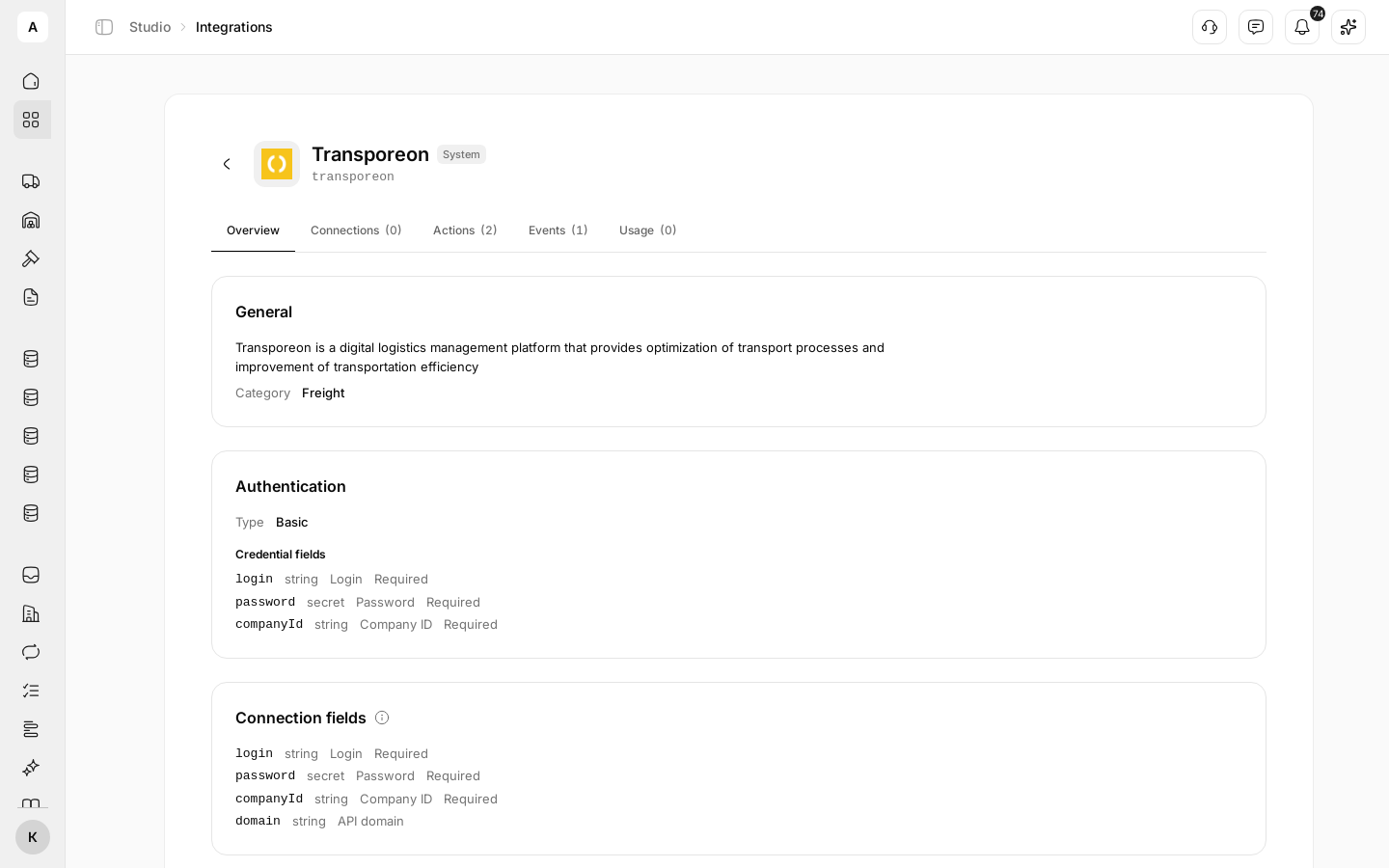
- The integration page. Click a card to open the Overview, Connections, Actions, Events and Usage tabs. “Actions” lists what the integration can do in a workflow, “Events” what it reports, “Usage” which workflows use it.
- Several connections to one integration. For example, two mailboxes or two load board accounts. Give each connection its own “Label” to tell them apart in workflows.
- Connection check. The Test button calls the outside system with your credentials and shows the result: “Connection OK” or the reason it failed.
- Statuses. Each connection shows its state: “Connected”, “Reconnect needed” (the system rejected the credentials) or “Error”, with the reason under the label.
- What is connected. The Connected tab lists every integration that has a connection, and the connected mailboxes.
- Your own integrations. If the system you need is not in the catalog, describe your own on the My integrations tab with New integration: the system’s address, its actions and events. Your integration shows up in workflows only after you publish it; until then its status is “Draft”. This is a job for a technical specialist who knows how your system works — see Connect your own system.
Limits
- Most cards need your own account in the outside system and its credentials: a key, a login and password, a company ID. Cargofy does not issue them.
- Once you delete a connection, workflows that use it lose access to that account.
- Cards marked “Managed by the system” are set up by Cargofy and do not open.
Next steps
Step by step: the card, the credentials, the check.
What each ready integration needs and does.
A system that is not in the catalog: actions and events.
A mailbox through account sign-in or an app password.
A voice assistant and your account’s numbers for calls.
Who works with the connected systems in place of a person.
Next part: put a model, a workflow, a worker, an interface and a form together.