- Who can: view and test — anyone in the account; give a task to a worker — a user with the “Assign Digital Workers” permission; create and change — a user with the “Manage Studio” permission
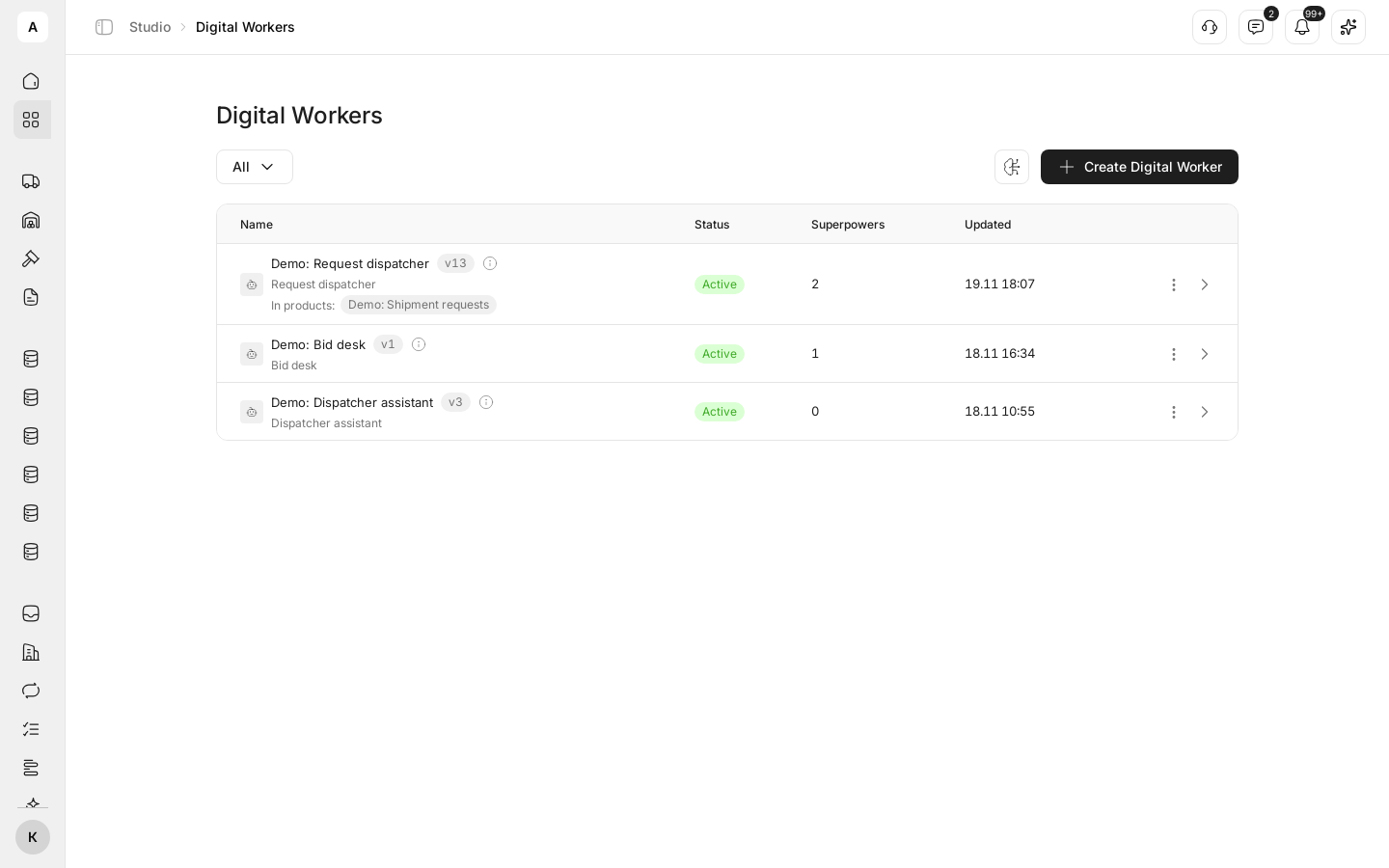
- Where: Studio › Digital Workers
What it is
A Digital Worker is an AI worker with a job title, department and role. It acts only through the actions you allow. You write its instructions in plain language, give it superpowers (the actions it may take) and knowledge bases with your rules. Then it does its part of the work: for example, it checks every new shipment request and says what to fix.
A Digital Worker is started by a workflow with the “Digital Worker call” node, by a person from a task, by another worker that hands it work, or by you on the Test tab of its card. Every run shows in the log together with its cost.
What it can do
- Work by instructions. “Persona” sets the tone and character, “System instructions” what to do and how, “Capabilities” a short line on what the worker is good at. All fields: Digital Worker settings.
- Act through superpowers. A superpower is a set of allowed actions with instructions: keep data model records, create tasks, send messages, place calls. Without a superpower the worker only answers with text. To give a worker calls, see Set up a call scenario.
- Search your knowledge. The worker reads attached knowledge bases (procedures, rate sheets, check rules) while it works. It needs a superpower that allows searching them — see Give a Digital Worker superpowers and knowledge.
- Wait for a person’s approval. The worker does not run actions from “Tools requiring approval” on its own: the run stops with the “Awaiting approval” status until a person decides in Approvals — see Approve a Digital Worker’s action.
- Hand work to others. In “Can delegate to”, list the workers it can hand part of a task to.
- Plan before acting. With Plan before acting on, the worker first writes a short plan, and every step shows in the activity log.
- Report on its work. The Executions tab shows every run: what the worker got, what it answered and what it did; Costs shows what the runs cost — see Runs and their statuses.
- Keep versions. Every change to the worker creates a new version, and Rollback brings back an earlier one — see Pause a Digital Worker or roll back a version.
- Pause. Pause stops new runs, Resume puts the worker back to work.
Limits
- Only a user with the “Manage Studio” permission can create, change, pause and delete workers.
- A worker does only what both its “Role” and the role of the person who started it allow.
- Only a worker in the “Active” status runs. A paused worker takes no runs: not from a workflow, a task or the Test tab.
- Each worker has a “Monthly budget”, 500 USD by default. When it runs out, the worker pauses itself until the start of the next month — see Budget.
- Deleting a worker cannot be undone. Before you delete, check the workflows that call it.
Next steps
Name, instructions, model and budget, using a request dispatcher as the example.
Which actions the worker may take and which rules it answers from.
A test run, the execution log and costs.
Pause, resume and roll back to earlier settings.
Make the worker wait for a person before an action.
Next part: the work screen where your team handles requests.